Tool-Calling Trip Planner with Nuxt 4 + TypeScript + AI SDK + Mapbox GL JS
Ask a language model for a walking route through Lisbon and it will give you a beautiful, confident answer containing coordinates that are somewhere in the Atlantic. Ask it twice and the coordinates change. This isn't a prompt problem — the model is doing exactly what it does, which is produce plausible text.
The fix isn't a better prompt. It's not letting it answer that question at all. You give the model a searchPlace tool, tell it that every location must come from there, and now the coordinates in the conversation are Mapbox's coordinates, because your server put them there.
What makes this worth building rather than reading about: the same tool results that ground the model also drive your UI. You don't parse the chat text to find places. The tool-searchPlace parts sitting in the message stream are your map state, already typed, already validated.
Tags: Nuxt 4, AI SDK, Mapbox, Zod, Nitro, TypeScript
Time to read: 18 min
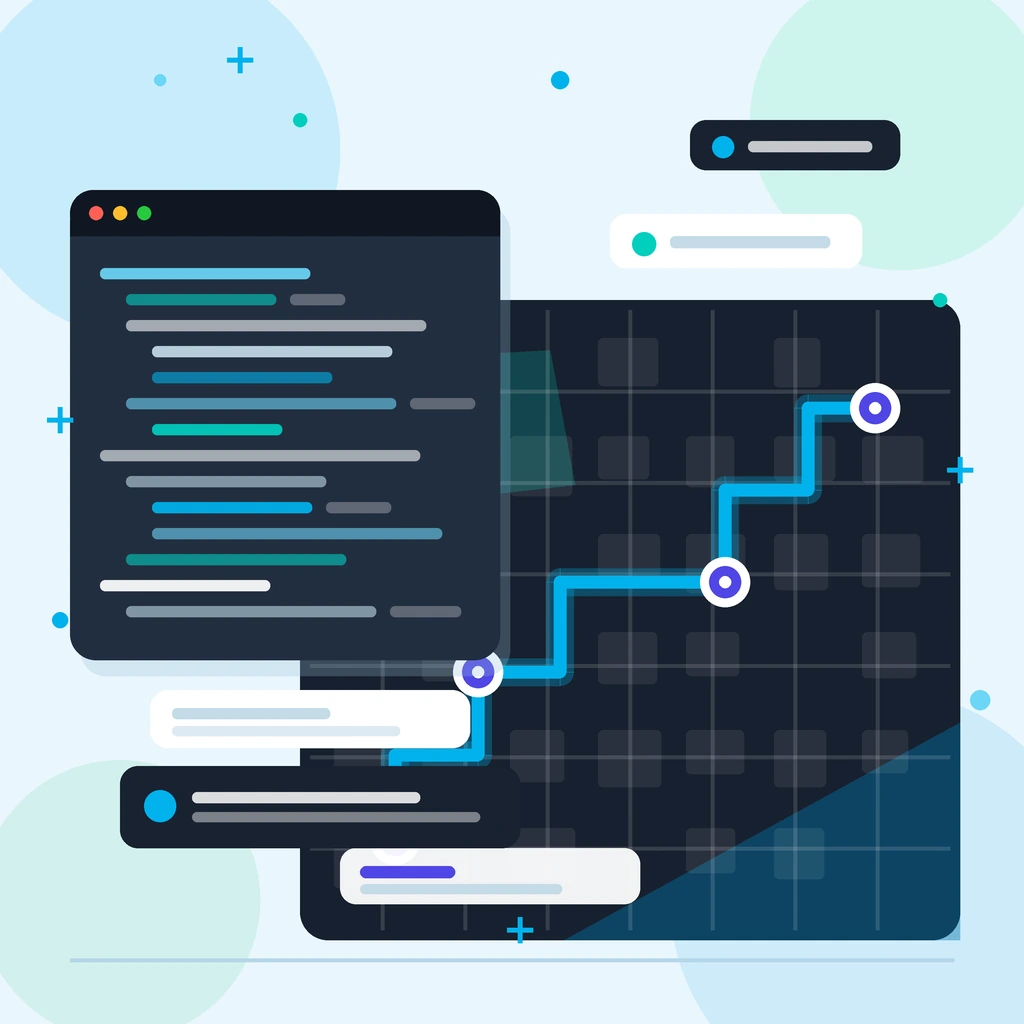
What you'll build: a split-screen trip planner. You type "a walking day in Lisbon — food market, a viewpoint, and a tram"; the left half streams the model's reasoning and the places it looked up; the right half is a Mapbox map that grows pins and draws a route as the tool calls come back.
Why this combination
Four pieces, and each one is here because the others can't do its job.
The AI SDK turns "the model wants to call a function" into a typed, streamed protocol. Without it you're hand-rolling SSE parsing and a tool loop. With it, streamText runs the loop and useChat gives you a reactive message array on the Vue side.
Zod describes the tools. This is the part people underestimate: the Zod schema you write is simultaneously the JSON Schema the model sees, the runtime validator for what it sends back, and the TypeScript type your Vue template gets. One description, three consumers — the same trick as deriving request validators from a Drizzle schema, applied to a different boundary.
Nitro is where the tools execute. That matters for a reason beyond tidiness: your Mapbox token stays on the server, and the model never sees it. Tool calls are the model asking your backend for something, not the model reaching out to the internet.
Mapbox GL JS is the half of the UI that isn't text. And it's the reason this is a real example rather than a weather-tool demo — a map is a genuinely different rendering surface, so you have to actually solve "how do I turn a message stream into application state".
Nuxt's shared/ folder (v3.14+, and the default layout in Nuxt 4) is the quiet hero. Tool schemas need to exist on the server (to execute) and on the client (to type the parts you render). shared/ is where Nuxt intends both sides to import the same file, with the #shared alias wired up for you.
Prerequisites
- Node.js 20+
- Basic Nuxt 4 / Vue 3 Composition API
- A Mapbox account — you'll need two tokens, more on that below
- An API key for a model provider. I use OpenAI here; swapping providers is one line
Some familiarity with Mapbox GL JS in Nuxt helps, but the map component below is self-contained.
1) Scaffold and install
npx nuxi@latest init nuxt4-trip-planner
cd nuxt4-trip-planner
npm i ai @ai-sdk/vue @ai-sdk/openai zod mapbox-gl
At the time of writing that resolves to ai@7.0, @ai-sdk/vue@4.0, zod@4.4 and mapbox-gl@3.28. You don't need @types/mapbox-gl — v3 ships its own types, and the DefinitelyTyped package will only fight them.
The AI SDK's major versions don't line up.
aiis on 7.x while@ai-sdk/vueis on 4.x and@ai-sdk/openaiis on 4.x. That's expected — the framework packages version independently of core. Install them together and let npm resolve the peer ranges; don't try to match numbers by hand.
2) Two tokens, two places
This is the first thing to get right, because getting it wrong is invisible until someone reads your JS bundle.
Mapbox GL JS runs in the browser, so it needs a public token (pk.…) — and public tokens are meant to be public. You restrict them with URL restrictions in the Mapbox dashboard, not by hiding them.
Geocoding and Directions run on your server, inside tool execution. That token has no business being in the bundle, so it goes in the private half of runtimeConfig.
// nuxt.config.ts
export default defineNuxtConfig({
  compatibilityDate: '2025-07-15',

  runtimeConfig: {
    // Server only. Never leaves Nitro.
    openaiApiKey: '',
    mapboxToken: '',

    public: {
      // Shipped to the browser on purpose. Add URL restrictions in Mapbox.
      mapboxPublicToken: '',
    },
  },
})
# .env
NUXT_OPENAI_API_KEY=sk-...
NUXT_MAPBOX_TOKEN=sk.eyJ1...
NUXT_PUBLIC_MAPBOX_PUBLIC_TOKEN=pk.eyJ1...
The NUXT_ prefix maps onto runtimeConfig automatically, and NUXT_PUBLIC_ onto runtimeConfig.public. Empty string defaults are deliberate: they make the key exist in the type so useRuntimeConfig().mapboxToken isn't any, while guaranteeing the real value comes from the environment.
3) The shared contract
Here's the centrepiece. Both halves of the app need to agree on what a tool takes and returns, so the description lives in shared/, which Nuxt 4 makes importable from app/ and server/ alike via the #shared alias.
The trick is that you can call tool() with schemas but no execute. That gives you a declaration — a shape — that's safe to import into the browser, because there's no server code attached to it.
// shared/types/trip.ts
import { z } from 'zod'
import { tool } from 'ai'
import type { InferUITools, UIDataTypes, UIMessage } from 'ai'

export const stopSchema = z.object({
  name: z.string(),
  address: z.string(),
  lon: z.number(),
  lat: z.number(),
})
export type Stop = z.infer<typeof stopSchema>

export const lineStringSchema = z.object({
  type: z.literal('LineString'),
  coordinates: z.array(z.tuple([z.number(), z.number()])),
})
export type LineString = z.infer<typeof lineStringSchema>

export const tripToolSchemas = {
  searchPlace: tool({
    description:
      'Find real places on the map. Call this before suggesting any location so the answer has coordinates.',
    inputSchema: z.object({
      query: z.string().max(256).describe('What to look for, e.g. "Time Out Market" or "miradouro"'),
      near: z.string().max(120).optional().describe('City or area to append to the search, e.g. "Lisbon, Portugal"'),
      limit: z.number().int().min(1).max(10).default(3),
    }),
    outputSchema: z.object({ stops: z.array(stopSchema) }),
  }),

  planRoute: tool({
    description: 'Draw a route through stops that were already found with searchPlace.',
    inputSchema: z.object({
      profile: z.enum(['walking', 'cycling', 'driving']),
      stops: z.array(stopSchema).min(2).max(25).describe('Stops in visiting order'),
    }),
    outputSchema: z.object({
      profile: z.enum(['walking', 'cycling', 'driving']),
      distanceMeters: z.number(),
      durationSeconds: z.number(),
      stops: z.array(stopSchema),
      geometry: lineStringSchema,
    }),
  }),
}

export type TripTools = InferUITools<typeof tripToolSchemas>
export type TripMessage = UIMessage<never, UIDataTypes, TripTools>
Three things are happening in that file, and they're the reason the rest of the tutorial is short.
.describe() is prompt engineering. Those strings are serialised into the JSON Schema the model receives. 'City or area to append to the search, e.g. "Lisbon, Portugal"' is doing more work for you than a paragraph in the system prompt, because it sits right next to the field it's talking about. When a tool call comes back malformed, the first thing to fix is a description, not the prompt.
.max() isn't decoration either. The model decides what goes in these fields, so they're user input with extra steps. Mapbox rejects a q over 256 characters with a 422; catching it in Zod turns a billed round-trip into a validation error the model can actually recover from.
outputSchema is optional but you want it. Without it, part.output is unknown on the client and you're casting in a template. With it, InferUITools can read both ends.
TripMessage is where it pays off. UIMessage<METADATA, DATA_PARTS, TOOLS> is generic over your tool set, so TripMessage knows that a part of type 'tool-searchPlace' has an output with a stops array of Stop. Vue's template type-checking will hold you to that.
The never in the first slot means "no message metadata"; UIDataTypes in the second is the default for custom data parts, which we're not using.
4) Mapbox, server-side
Two thin wrappers. Nothing AI-specific here — this is just the Mapbox API with a token that never leaves Nitro.
// server/utils/mapbox.ts
import type { LineString, Stop } from '#shared/types/trip'

const GEOCODE = 'https://api.mapbox.com/search/geocode/v6/forward'
const DIRECTIONS = 'https://api.mapbox.com/directions/v5/mapbox'

interface GeocodeFeature {
  properties: {
    name: string
    full_address?: string
    place_formatted?: string
    coordinates: { longitude: number, latitude: number }
  }
}

export async function geocode(query: string, opts: { near?: string, limit?: number } = {}): Promise<Stop[]> {
  const token = useRuntimeConfig().mapboxToken

  const res = await $fetch<{ features: GeocodeFeature[] }>(GEOCODE, {
    query: {
      q: opts.near ? `${query}, ${opts.near}` : query,
      limit: opts.limit ?? 3,
      access_token: token,
    },
  })

  return res.features.map(f => ({
    name: f.properties.name,
    address: f.properties.full_address ?? f.properties.place_formatted ?? '',
    lon: f.properties.coordinates.longitude,
    lat: f.properties.coordinates.latitude,
  }))
}

export async function directions(
  stops: Stop[],
  profile: 'walking' | 'cycling' | 'driving',
): Promise<{ distanceMeters: number, durationSeconds: number, geometry: LineString }> {
  const token = useRuntimeConfig().mapboxToken
  const path = stops.map(s => `${s.lon},${s.lat}`).join(';')

  const res = await $fetch<{
    routes: { distance: number, duration: number, geometry: LineString }[]
  }>(`${DIRECTIONS}/${profile}/${path}`, {
    query: { geometries: 'geojson', overview: 'full', access_token: token },
  })

  const route = res.routes[0]
  if (!route) throw new Error('Mapbox returned no route for those stops')

  return {
    distanceMeters: route.distance,
    durationSeconds: route.duration,
    geometry: route.geometry,
  }
}
A few Mapbox specifics worth knowing before they bite:
Geocoding v6 gives you coordinates in two shapes. geometry.coordinates is a GeoJSON [lon, lat] array; properties.coordinates is an object with longitude and latitude. I use the object because [0]/[1] indexing into a coordinate pair is how longitude and latitude end up swapped.
full_address isn't always present. The v6 docs describe a feature's properties as attributes it "may have", not ones it will — hence the fallback chain to place_formatted and then ''. If a tool output can't satisfy its own outputSchema, validation fails and the model gets an error instead of data.
Directions caps out at 25 coordinates — every profile, driving-traffic included — which is why planRoute has .max(25) on its input. That limit is now enforced by Zod before the request goes out, so the model gets a useful validation error rather than a Mapbox 422.
Semicolons matter. Directions wants lon,lat;lon,lat in the path. Geocoding, conversely, rejects semicolons in q entirely.
5) Attaching execute
Now the server takes those declarations and gives them bodies. Spread the shape, add execute, and the input type flows straight through from the Zod schema:
// server/utils/trip-tools.ts
import { tool } from 'ai'
import { tripToolSchemas } from '#shared/types/trip'

export const tripTools = {
  searchPlace: tool({
    ...tripToolSchemas.searchPlace,
    execute: async ({ query, near, limit }) => ({
      stops: await geocode(query, { near, limit }),
    }),
  }),

  planRoute: tool({
    ...tripToolSchemas.planRoute,
    execute: async ({ profile, stops }) => ({
      profile,
      stops,
      ...(await directions(stops, profile)),
    }),
  }),
}
query, near, limit, profile and stops are all fully typed here with no annotations — they're inferred from the inputSchema you wrote in shared/.
The
tool()wrapper isn't decoration. If you write{ ...tripToolSchemas.searchPlace, execute: async ({ query }) => … }as a plain object literal, TypeScript can't connect theexecuteparameter to theinputSchemaand you getimplicitly has an 'any' typeon every destructured field.tool()exists to tie those two together.
Note there's no import for geocode or directions — Nitro auto-imports everything in server/utils/.
6) The streaming route
// server/api/chat.post.ts
import { createOpenAI } from '@ai-sdk/openai'
import {
  convertToModelMessages,
  createUIMessageStreamResponse,
  stepCountIs,
  streamText,
  toUIMessageStream,
  validateUIMessages,
} from 'ai'
import type { TripMessage } from '#shared/types/trip'

const SYSTEM = `You are a trip planner.
Never invent coordinates. Call searchPlace for every location you mention.
Once you have three or more stops in a sensible order, call planRoute to draw them.
Keep prose short: a sentence per stop, then a one-line summary of the route.`

export default defineLazyEventHandler(() => {
  const { openaiApiKey } = useRuntimeConfig()
  if (!openaiApiKey) throw new Error('Missing NUXT_OPENAI_API_KEY')
  const openai = createOpenAI({ apiKey: openaiApiKey })

  return defineEventHandler(async (event) => {
    const body = await readBody<{ messages: unknown }>(event)

    const messages = await validateUIMessages<TripMessage>({
      messages: body.messages,
      tools: tripTools,
    })

    const result = streamText({
      model: openai('gpt-5.1'),
      system: SYSTEM,
      messages: await convertToModelMessages(messages),
      tools: tripTools,
      stopWhen: stepCountIs(8),
    })

    return createUIMessageStreamResponse({
      stream: toUIMessageStream({ stream: result.stream }),
    })
  })
})
Six things in forty lines, in the order they'll cause you trouble:
defineLazyEventHandler runs its outer function once. The provider client is constructed on first request and reused, rather than rebuilt per message. It's also where the missing-key check belongs — you want a loud failure on first hit, not a confusing 401 from the provider.
validateUIMessages is your input validation. messages arrives from a browser, which means it arrives from anyone. Passing tools lets it check that tool parts in the history match your schemas. Be clear about what that does and doesn't buy you: it rejects malformed tool results, not fabricated ones — a well-shaped lie still validates. If it matters that a result really came from your server, sign the outputs or recompute them. What this does replace is the hand-written validator for a shape far too intricate to hand-write, which is the same instinct as validating an h3 body with Zod.
convertToModelMessages is async. It returns a promise in v7 because it may need to download referenced files. Forget the await and TypeScript catches it with Type 'Promise<ModelMessage[]>' is missing the following properties from type 'ModelMessage[]', which is a good error dressed as a bad one.
stopWhen: stepCountIs(8) is the tool loop. The default is one step, which means the model calls searchPlace, gets its result, and stops — you get tool output and no prose, which looks like a bug and isn't. Each step is a full model call, so this number is also your per-message cost ceiling. Eight comfortably fits three or four lookups plus a route plus a summary.
system is separate from messages. Don't let the client send system messages; a system prompt arriving in the request body is a prompt injection vector wearing a name badge.
createUIMessageStreamResponse returns a web Response. Nitro handles that natively — no event.node.res fiddling, no manual SSE headers.
7) Tool results as map state
This is the part I find genuinely nice. The map doesn't subscribe to anything or listen for events. It's a pure function of the message array.
// app/pages/index.vue — <script setup lang="ts">
import { useChat } from '@ai-sdk/vue'
import { isToolUIPart } from 'ai'
import type { LineString, Stop, TripMessage } from '#shared/types/trip'

const input = ref('')
const { messages, sendMessage, status, error } = useChat<TripMessage>()

function submit() {
  if (!input.value.trim() || status.value !== 'ready') return
  sendMessage({ text: input.value })
  input.value = ''
}

// Every finished tool call in the transcript, oldest first.
const finishedToolParts = computed(() =>
  messages.value
    .flatMap(m => m.parts)
    .filter(isToolUIPart)
    .filter(p => p.state === 'output-available'),
)

const stops = computed<Stop[]>(() => {
  const seen = new Map<string, Stop>()
  for (const part of finishedToolParts.value) {
    if (part.type !== 'tool-searchPlace') continue
    for (const stop of part.output.stops) seen.set(`${stop.lon},${stop.lat}`, stop)
  }
  return [...seen.values()]
})

const route = computed<LineString | null>(() => {
  const routes = finishedToolParts.value.filter(p => p.type === 'tool-planRoute')
  return routes.at(-1)?.output.geometry ?? null
})
The shape of a tool part is the thing to internalise:
- Its
typeis`tool-${toolName}`—tool-searchPlace,tool-planRoute. Not a generictool-invocationyou have to narrow by name. - Its
statewalks throughinput-streaming→input-available→output-available, or lands onoutput-error/output-denied. Approval-gated tools addapproval-requestedandapproval-respondedin between. - Only in
output-availabledoesoutputexist. Every other variant declaresoutput?: never, so the union is genuinely discriminated.
Two filters, two jobs, and it's worth knowing which does what. state === 'output-available' is what removes undefined from output — and it works as a type filter only because TypeScript 5.5+ infers a type predicate from that arrow function. The type check then picks which tool you're looking at. Drop the state filter and keep only the type check and you get TS18048: 'p.output' is possibly 'undefined', which is the compiler being right.
isToolUIPart is also broader than it looks: it admits dynamic-tool parts too, so the part.type !== 'tool-searchPlace' line is doing real work rather than restating the filter.
The Map keyed on coordinates does deduplication for free — the model will often look up the same neighbourhood twice, and you don't want two pins stacked on one point.
routes.at(-1) takes the most recent route rather than merging them. If the model revises the plan, the map follows the revision.
status is 'ready' | 'submitted' | 'streaming' | 'error', which is what disables the send button mid-stream.
8) The map component
Client-only, because Mapbox GL JS is WebGL and there is no WebGL during SSR. The .client.vue suffix is the whole fix.
<!-- app/components/TripMap.client.vue -->
<script setup lang="ts">
import mapboxgl from 'mapbox-gl'
import 'mapbox-gl/dist/mapbox-gl.css'
import type { LineString, Stop } from '#shared/types/trip'

const props = defineProps<{ stops: Stop[], route: LineString | null }>()

const container = ref<HTMLDivElement | null>(null)
const map = shallowRef<mapboxgl.Map | null>(null)
const markers: mapboxgl.Marker[] = []

// Held outside the ref so unmount can tear the map down even if `load` never fired.
let instance: mapboxgl.Map | null = null

onMounted(() => {
  mapboxgl.accessToken = useRuntimeConfig().public.mapboxPublicToken

  const m = new mapboxgl.Map({
    container: container.value!,
    style: 'mapbox://styles/mapbox/light-v11',
    center: [-9.139, 38.722],
    zoom: 11,
  })

  instance = m
  m.addControl(new mapboxgl.NavigationControl(), 'top-right')

  m.on('load', () => {
    m.addSource('route', {
      type: 'geojson',
      data: { type: 'Feature', properties: {}, geometry: { type: 'LineString', coordinates: [] } },
    })
    m.addLayer({
      id: 'route',
      type: 'line',
      source: 'route',
      layout: { 'line-cap': 'round', 'line-join': 'round' },
      paint: { 'line-color': '#4f46e5', 'line-width': 5, 'line-opacity': 0.8 },
    })
    // Only publish the map once its sources exist.
    map.value = m
  })
})

onBeforeUnmount(() => {
  instance?.remove()
  instance = null
})

watch([map, () => props.stops], ([m, stops]) => {
  if (!m) return

  markers.forEach(marker => marker.remove())
  markers.length = 0

  for (const [i, stop] of stops.entries()) {
    markers.push(
      new mapboxgl.Marker({ color: '#4f46e5' })
        .setLngLat([stop.lon, stop.lat])
        .setPopup(new mapboxgl.Popup().setText(`${i + 1}. ${stop.name}`))
        .addTo(m),
    )
  }

  if (!stops.length) return

  const bounds = stops.reduce(
    (b, s) => b.extend([s.lon, s.lat]),
    new mapboxgl.LngLatBounds([stops[0]!.lon, stops[0]!.lat], [stops[0]!.lon, stops[0]!.lat]),
  )
  m.fitBounds(bounds, { padding: 64, maxZoom: 15, duration: 600 })
})

watch([map, () => props.route], ([m, route]) => {
  const source = m?.getSource('route') as mapboxgl.GeoJSONSource | undefined
  source?.setData({
    type: 'Feature',
    properties: {},
    geometry: route ?? { type: 'LineString', coordinates: [] },
  })
})
</script>

<template>
  <div ref="container" class="h-full w-full" />
</template>
Four decisions in there that aren't obvious:
shallowRef for the map instance, not ref. A Mapbox Map is a large object graph with circular references; wrapping it in a deep reactive proxy costs real frames and can break internal identity checks. shallowRef tracks the reference and leaves the object alone.
And don't undo that with { deep: true } on the watcher. A deep watch traverses the entire watch source, map instance included, which walks straight into the object shallowRef was protecting. It's also unnecessary here: stops is a computed that returns [...seen.values()], a fresh array identity every time, so a shallow watch already fires.
map.value is assigned inside on('load'). The route source doesn't exist until the style has loaded, so publishing the map earlier means the first setData silently targets nothing. Watching [map, props] together rather than just props means the watcher re-runs when the map becomes available — so stops that arrived during loading aren't dropped.
But teardown can't wait for load. That's what the plain instance variable is for. If the component unmounts while the style is still loading — a fast route change, an HMR reload — map.value is still null and map.value?.remove() would do nothing, leaking a WebGL context per mount. Keep a non-reactive handle from the moment you construct the map and remove that.
An empty LineString beats conditional layer creation. Adding and removing layers as the route appears is a lot of state to get wrong. One layer that's sometimes empty is one code path.
Markers are tracked in a plain array. They're not Vue state and don't belong in the reactive graph; you just need a handle to remove them on the next update.
9) The transcript
The other half of the split screen. This is where the typed tool parts earn their keep — each part type renders differently, and the template knows what fields each one has.
<!-- app/pages/index.vue — <template> -->
<template>
  <div class="grid h-screen grid-cols-1 md:grid-cols-2">
    <section class="flex flex-col overflow-hidden border-r border-gray-200">
      <div class="flex-1 space-y-4 overflow-y-auto p-4">
        <article v-for="m in messages" :key="m.id" class="text-sm">
          <p class="mb-1 font-semibold">
            {{ m.role === 'user' ? 'You' : 'Planner' }}
          </p>

          <template v-for="(part, i) in m.parts" :key="`${m.id}-${i}`">
            <p v-if="part.type === 'text'" class="whitespace-pre-wrap">
              {{ part.text }}
            </p>

            <p
              v-else-if="
                part.type === 'tool-searchPlace'
                  && (part.state === 'input-streaming' || part.state === 'input-available')
              "
              class="italic text-gray-500"
            >
              Looking up “{{ part.input?.query }}”…
            </p>

            <p
              v-else-if="isToolUIPart(part) && part.state === 'output-error'"
              class="my-1 rounded bg-red-50 px-2 py-1 text-red-700"
            >
              That lookup failed: {{ part.errorText }}
            </p>

            <ol
              v-else-if="part.type === 'tool-searchPlace' && part.state === 'output-available'"
              class="my-1 list-decimal pl-5 text-gray-600"
            >
              <li v-for="s in part.output.stops" :key="s.name">
                {{ s.name }} <span class="text-gray-400">— {{ s.address }}</span>
              </li>
            </ol>

            <p
              v-else-if="part.type === 'tool-planRoute' && part.state === 'output-available'"
              class="my-1 rounded bg-indigo-50 px-2 py-1 text-indigo-800"
            >
              {{ part.output.profile }} route ·
              {{ km(part.output.distanceMeters) }} km ·
              {{ minutes(part.output.durationSeconds) }} min
            </p>
          </template>
        </article>

        <p v-if="error" class="text-sm text-red-600">
          {{ error.message }}
        </p>
      </div>

      <form class="flex gap-2 border-t border-gray-200 p-4" @submit.prevent="submit">
        <input
          v-model="input"
          class="flex-1 rounded border border-gray-300 px-3 py-2 text-sm"
          placeholder="A walking day in Lisbon: food market, viewpoint, tram"
        >
        <button
          class="rounded bg-indigo-600 px-4 py-2 text-sm text-white disabled:opacity-40"
          :disabled="status !== 'ready'"
        >
          Plan
        </button>
      </form>
    </section>

    <TripMap :stops="stops" :route="route" />
  </div>
</template>
Add the two formatters to the script block:
const minutes = (s: number) => Math.round(s / 60)
const km = (m: number) => (m / 1000).toFixed(1)
The "Looking up …" branch is the payoff of input-streaming. The model's tool arguments stream in token by token, so part.input.query exists — partially — before the tool has run. That's a free loading state with the actual search term in it, and it's why input is optional in that state (hence part.input?.query).
Note that the pending branch lists its two states explicitly rather than saying state !== 'output-available'. The negative form is the tempting one and it's a bug: output-error isn't output-available either, so a geocode that fails renders "Looking up…" forever with nothing in the console. Hence the output-error branch — which uses isToolUIPart so one branch covers both tools, since errorText is on every tool part regardless of which tool it came from.
useChat() posts to /api/chat by default, which is exactly what server/api/chat.post.ts serves. No wiring needed.
10) Run it
npm run dev
Type "a walking day in Lisbon — a food market, a viewpoint, and somewhere to ride tram 28" and watch the order of operations:
- Three
searchPlacecalls, each one flashing its "Looking up…" state, each one dropping up tolimitpins the moment it resolves — the map shows every candidate Mapbox returned, not just the one the model settles on. planRoutewith the stops in the order the model chose.- A line appears, the map fits to the bounds, and only then does the prose arrive — because the model now has real distances to write about.
Then ask a follow-up: "swap the viewpoint for something with less climbing". The whole transcript goes back to the model, so it knows what it already found, looks up one replacement, and re-routes — and the line follows the revision, because of that .at(-1).
The pins don't. stops is cumulative over the whole transcript, so the rejected viewpoint keeps its marker. That's a deliberate default — you generally want to see what was considered — but if you'd rather the pins track only the current plan, derive them from the last tool-planRoute output's stops instead of from every searchPlace. Either way it's a four-line change to a computed, which is the actual point: the map has no state of its own to migrate.
11) Streaming behind Nginx
Everything above works perfectly in dev and then arrives as one lump in production. This isn't the AI SDK; it's your reverse proxy buffering the response.
If you're running Nuxt behind Nginx, the streaming endpoint needs its own location block:
location /api/chat {
    proxy_pass http://127.0.0.1:3000;
    proxy_http_version 1.1;
    proxy_set_header Host $host;
    proxy_set_header X-Forwarded-Proto $scheme;

    proxy_set_header Connection "";

    # The two lines that matter.
    proxy_buffering off;
    proxy_read_timeout 300s;
}
proxy_buffering off is the fix — Nginx otherwise collects the whole response before forwarding a byte, which is exactly the behaviour you want everywhere except here. proxy_read_timeout is the one people find later, when a long tool chain plus a slow model exceeds the 60-second default and the connection dies mid-answer with no error in your logs.
You'll see proxy_cache off; and chunked_transfer_encoding on; in most snippets for this. Both are already the defaults, so they're documentation rather than configuration. proxy_set_header Connection ""; is not optional though — it's the standard companion to proxy_http_version 1.1 for a keep-alive upstream.
If Cloudflare sits in front of that, make sure the route isn't being cached and that you aren't running it through anything that rewrites the body.
Cost and loop control
A chat UI with tool calling is a small pile of loaded guns. Three things to do before this touches the internet:
Cap the steps. stepCountIs(8) is the ceiling on model calls per message. Without it, a model that keeps deciding to search one more thing will bill you for the privilege.
Cap the history. The entire transcript is re-sent every turn, so a long conversation is quadratic in tokens. Truncate before converting:
messages: await convertToModelMessages(messages.slice(-20)),
Slice on a user-message boundary, though. A blind tail cut can start the window on an assistant message whose tool result has no matching tool call in view, and providers reject that outright with an invalid-sequence error that doesn't mention truncation.
Rate-limit the route. /api/chat is an unauthenticated endpoint that spends money. Put it behind a session, or at minimum behind a per-IP limit in Nitro middleware.
And treat tool inputs as user input, because that's what they are — a model deciding to call searchPlace with a 4,000-character query is exactly the kind of thing that shows up on your Mapbox bill. That's what the .max(256) on query is for, and it's worth a pass over every field to ask what its worst plausible value costs you.
Troubleshooting
The tool runs but the model never speaks. You're on the default one-step limit. Set stopWhen: stepCountIs(n).
part.output is unknown in the template. Either the tool has no outputSchema, or you called useChat() without the <TripMessage> type argument.
implicitly has an 'any' type on execute's parameters. You spread the schema into a plain object instead of into tool().
Type 'Promise<ModelMessage[]>' is missing … — convertToModelMessages needs await.
window is not defined on boot. Your map component isn't client-only. Rename it to *.client.vue or wrap it in <ClientOnly>, and don't import mapbox-gl at the top level of anything server-rendered.
Pins land in the ocean, roughly off the coast of Ghana. [0, 0]. Something in the chain swapped or dropped lon/lat — check that you're reading properties.coordinates.longitude rather than indexing a tuple.
Mapbox 422 on the route. More than 25 stops, or fewer than 2. The Zod schema catches both before the request, which is why the error you actually see says so.
A failed lookup shows "Looking up…" forever. Your pending branch is written as state !== 'output-available', which also matches output-error. List the pending states explicitly and give errors their own branch.
The stream arrives all at once in production. Nginx buffering. See above.
FAQ
Do I need Vercel to use the AI SDK? No. It's an ordinary npm package running inside Nitro. The quickstart routes you through Vercel's AI Gateway because it's convenient; createOpenAI (or createAnthropic, or an OpenAI-compatible provider pointed at a local model) works the same everywhere Node runs.
Can I swap the model provider? Two lines — the import and the model: argument. That's the actual point of the SDK: streamText, tool definitions and the stream protocol don't change when the provider does.
Why not just ask the model for JSON? You can — generateObject does structured output well. But that's one shot with one shape. Tool calling lets the model decide how many lookups it needs and in what order, and gives you a progressive UI rather than a spinner.
Does this work without SSR? Yes. The chat route is a server route regardless, and the map is client-only either way.
Can tools run on the client? They can — useChat's onToolCall handles tools with no server-side execute, which is how you'd add something like "read the user's current position from the Geolocation API". Anything touching a secret stays on the server.
Where to take it
- Persist conversations. Pass an
onFinishtotoUIMessageStream— it hands you{ messages }, the finalTripMessage[]. Store that and the map rebuilds itself on reload, because the map was never anything but a function of the messages. (Don't reach forstreamText'sonFinishhere: it gives youModelMessages, which have been stripped of exactly the tool-part structure the UI renders from.) - Tool approval. Tool parts have
approval-requestedandapproval-respondedstates for exactly the case where a tool books something rather than looking it up. - Isochrones. Mapbox's Isochrone API returns "everywhere within 15 minutes' walk" as a polygon. As a tool it lets the model reason about reachability instead of just distance.
- Elevation. Feed the route geometry through terrain data and you've got the elevation profile treatment, with the model narrating the climbs.
- Client-side tools. Add a
centerMaptool with noexecuteand handle it inonToolCall— the model can then move the viewport as part of its answer. - Honest marker numbers. The
1.,2.,3.in the popups index intostops, which is in search order, not visiting order. The moment the model reorders the itinerary they disagree with the line on the map. Numbering from the lastplanRouteoutput'sstopsfixes it, and is a good first change to make if you're using this for real.
Wrapping up
The interesting idea here isn't the chatbot. It's that a tool call is a typed, validated, bidirectional contract — and once you have one of those, it can serve the model and your UI at the same time. The model gets grounded because Mapbox answered instead of it. The map gets its state because that answer is sitting in the message stream with a type attached.
Three things to carry into your own build. Put the schemas in shared/ and attach execute on the server — that one split is what makes the client's tool parts typed without leaking server code into the bundle. Set stopWhen on day one, because the one-step default produces a bug that looks like the model ignoring you. And validate incoming messages with validateUIMessages, since the transcript is user input that gets fed to a model as if it were fact.
The whole thing is around 360 lines across six files, and 199 of them are the two Vue components. The AI plumbing — the streaming route plus both tool definitions — is sixty-two.